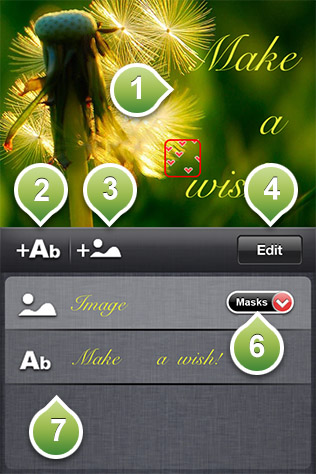
In this menu you can add various texts with different fonts and colors or Photos.
1) The postcards area.
2) Tap this button to add a new text layer on the card.
3) Tap this button to add import a photo to the card.
4) Tap the edit button to delete a text or photo layer or to change their order.
6) Tap this button to select a mask for the imported photo. Various masks are available.
7) The layers list. Tap one of the elements to edit the text or the photo of the layer.