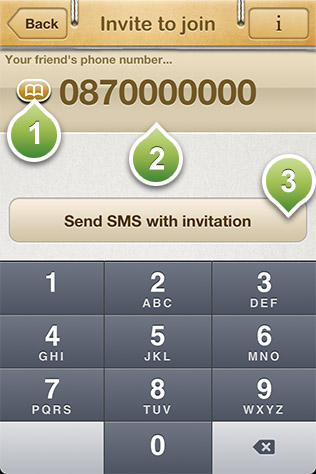
In this screen you can send an invitation to a friend of yours to share your addresses by sending him an SMS text message. You have to be aware that your friend must use an iPhone in order the text you will send him to be free. Otherwise standard SMS messaging charges from your provider may apply.
Tap this button to access your addressbook.
Your friend's mobile phone number.
Pressing this button will compose a text message including a greeting text and your MailMe! ID. By pressing send in the next screen, the text will be send to your friend's phone.