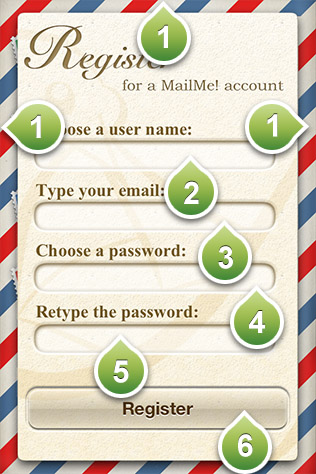
Register a new MailMe! account.
1) Tap on the edge of the card to return back to the welcome menu.
2) Choose a user name.
3) Type your email. The email needs to be valid as a confirmation link will be sent to you. If you can not find the confirmation link in your inbox then have a look in the junk folder of your email.
4) Choose a password. It must be at least 6 characters long.
5) Retype the password you chose.
6) Press the button to complete the registration procedure.