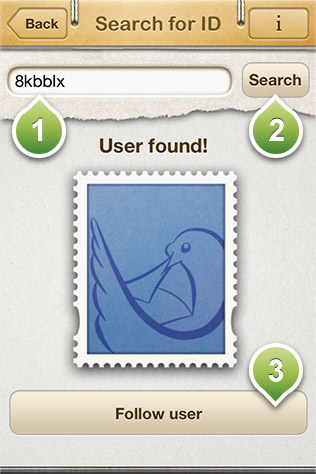
From this screen you can invite another MailMe! user to become a friend of yours by searching him with his MailMe! ID
1) Insert here your friend's MailMe! ID.
2) Press the search button to search if a user having the MailMe! ID you have inserted exists.
3) If the user exists, press the Follow User to send to a friend invitation to this user. When the user accept the invitation, you will see him appearing in your friend's list and you will be able to share your addresses.